A better remote than the one in the box.
Five ways to control, built around what you press every evening. Each control has its own shape, so you can find it by feel and by glance.
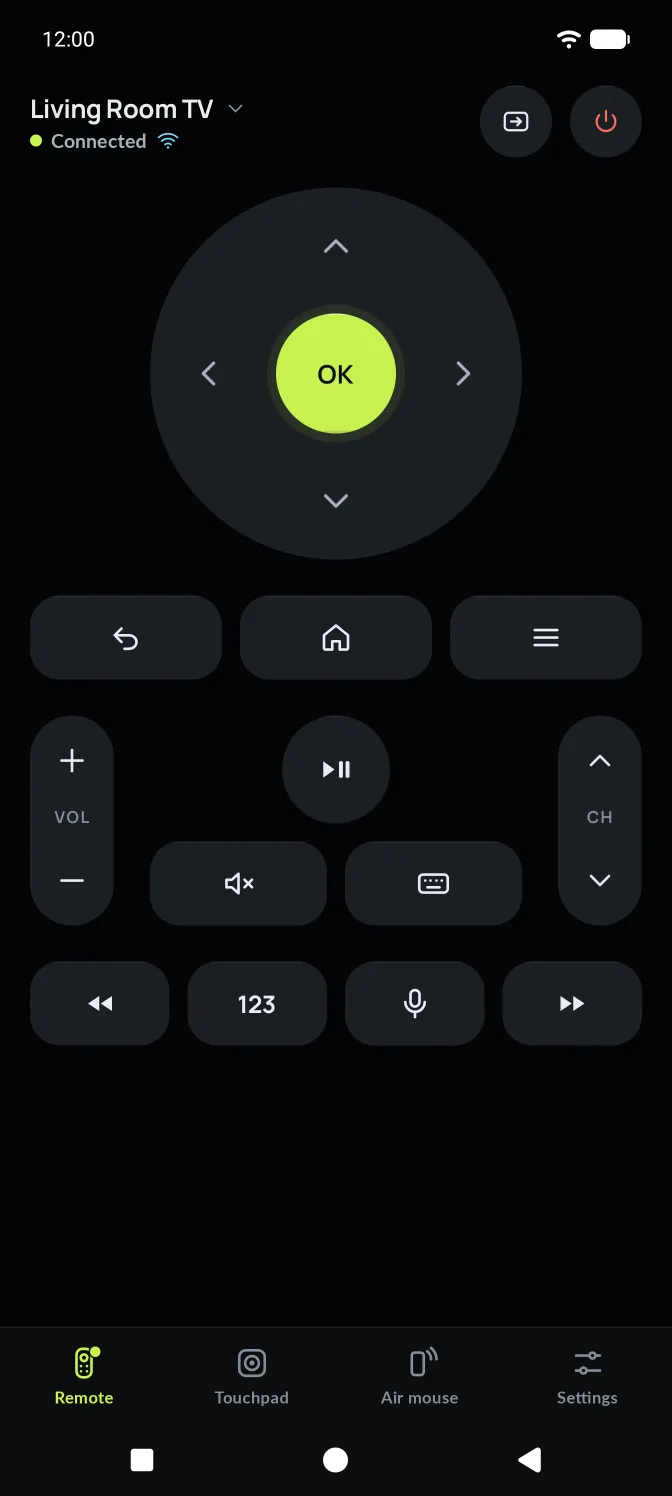
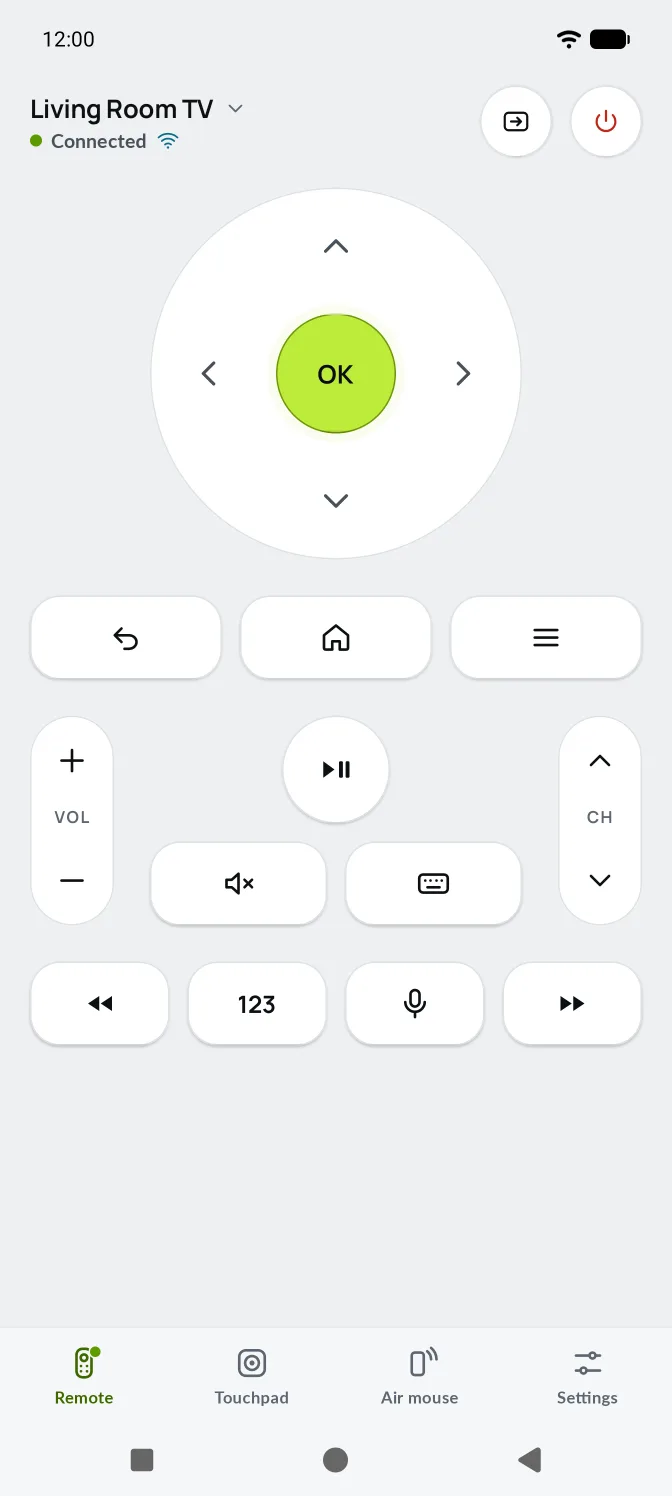
D-pad and OK, where your thumb lands.
The main remote shows only what you press every session: the D-pad and OK, Back, Home and Menu, volume, channel, play and pause, mute and the keyboard. Power and Input sit in the header, away from your thumb.
- Tap a rocker to step once. Hold it to repeat.
- The volume level appears on screen as it changes.
- Rewind, fast-forward, numbers and voice in one row below.
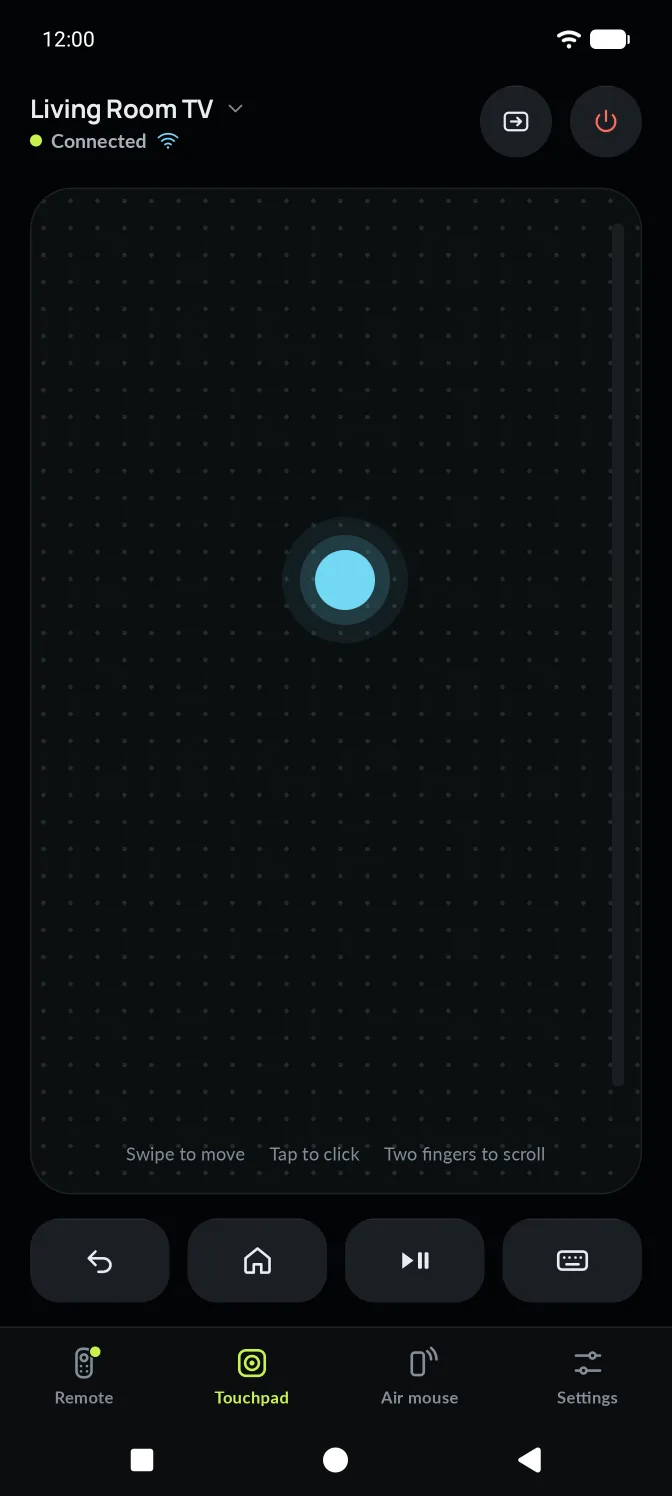
Glide, tap and scroll.
A large dotted pad for moving around the TV. On LG TVs and over Bluetooth it moves a real pointer. On Google TV, Samsung and Roku, swipes become D-pad steps.
- DragMove the pointer
- TapClick
- Two fingersScroll
- Right-hand railScroll with one finger
Gestures start inside the pad, so edge swipes stay with your phone.
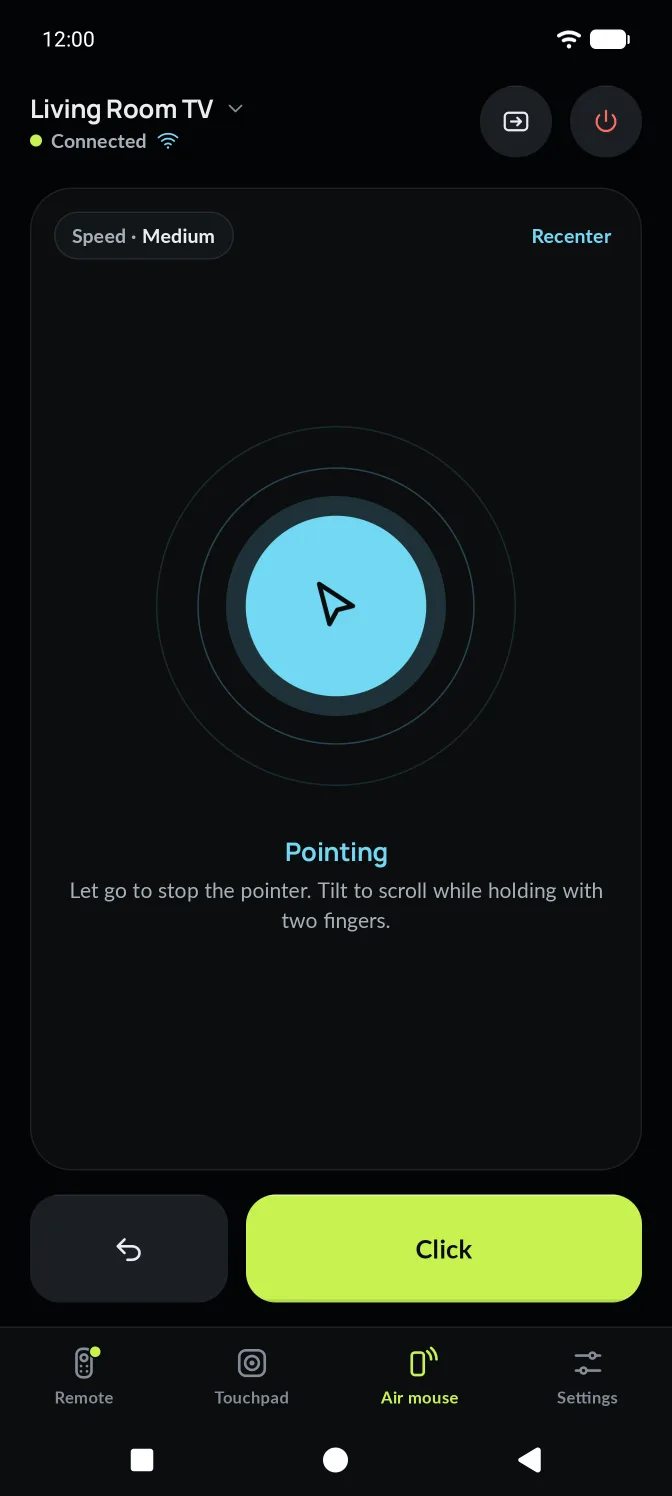
Point your phone. The cursor follows.
Hold the orb and move your wrist, like a laser pointer for your TV. Let go and the pointer stops where it is. Recenter puts it back in the middle of the screen.
- Hold to pointThe pointer moves only while you hold
- ToggleTap once to switch pointing on and off
- RecenterBack to the middle of the TV
- SensitivityFrom slow and steady to quick
Uses the gyroscope only while pointing. No gyroscope? AirMouse says so and offers the touchpad.
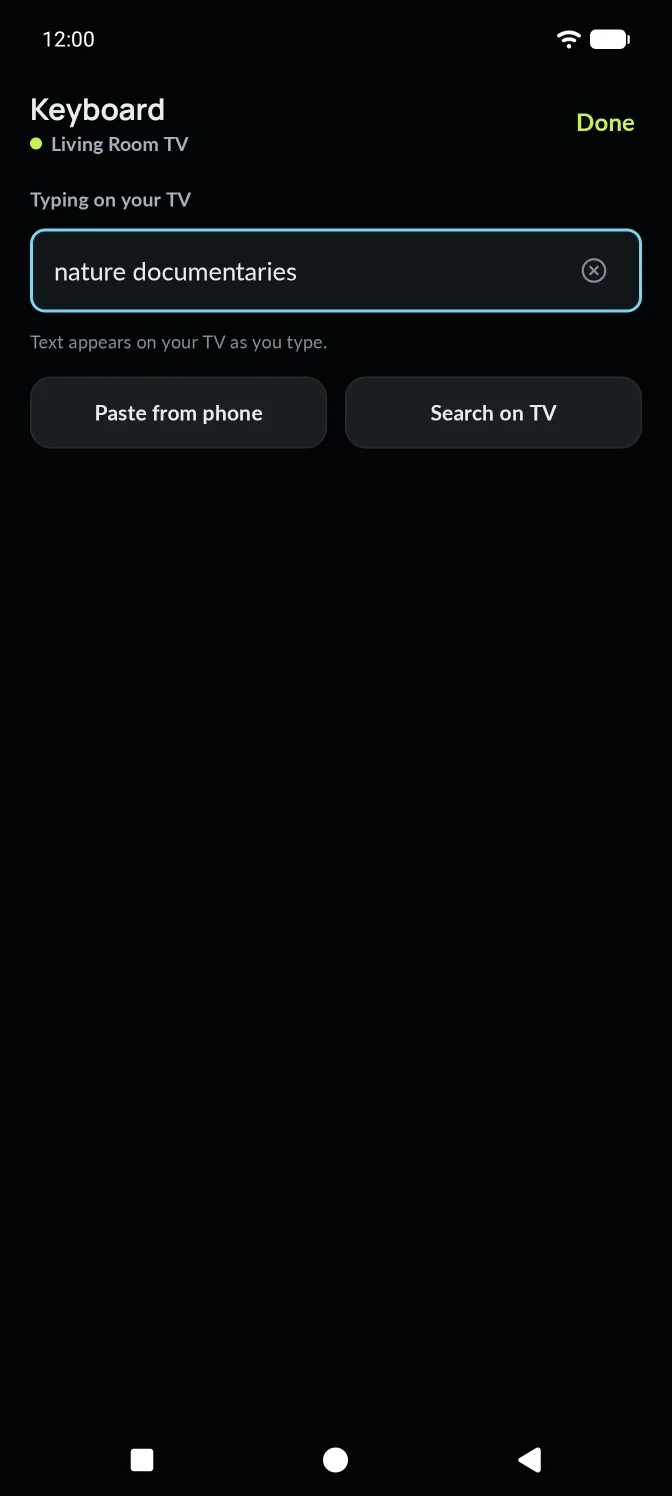
Type on your TV with your phone.
Search, sign in and fill forms with the keyboard you already know. Text appears on the TV as you type. Paste from your phone, or send a search to the TV in one tap.
- Live typing, with backspace and enter
- Paste from phone: long passwords without retyping
- Search on TV sends what you typed as a search
Say it. It's typed on the TV.
Tap the voice key and speak. Your phone turns speech into text, and AirMouse types it into the TV's search box. Voice works on every TV that accepts typing.
- The microphone is asked for the first time you tap the voice key
- Used only while you're speaking
- Only the recognised words go to your TV
Search with your voice
AirMouse uses the microphone only while you speak, then types the words on your TV.
Audio isn't recorded or stored by AirMouse
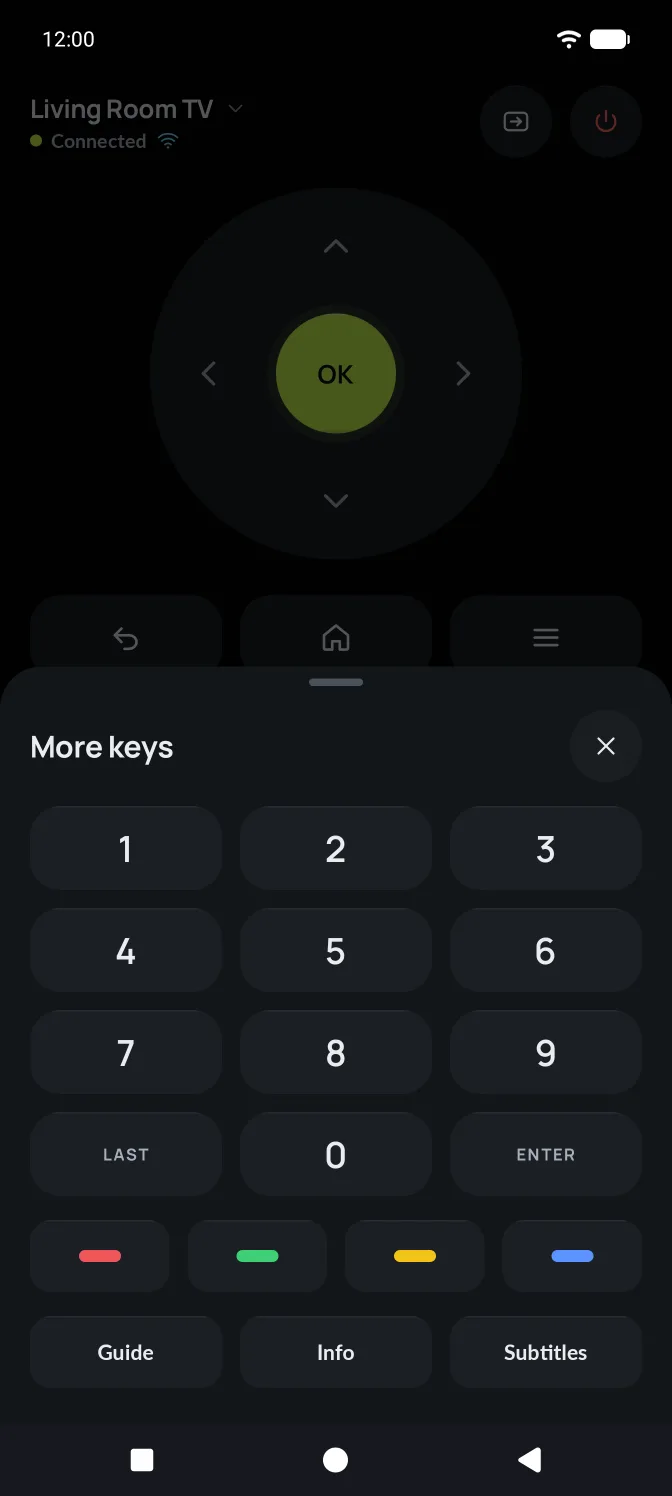
Every key, one tap away.
Numbers, LAST and ENTER, the four colour keys, Guide, Info and Subtitles live in one sheet, so the main remote stays calm.
Keys a TV can't use are dimmed, not hidden, so nothing moves when you switch TVs. Tap a dimmed key to see why.
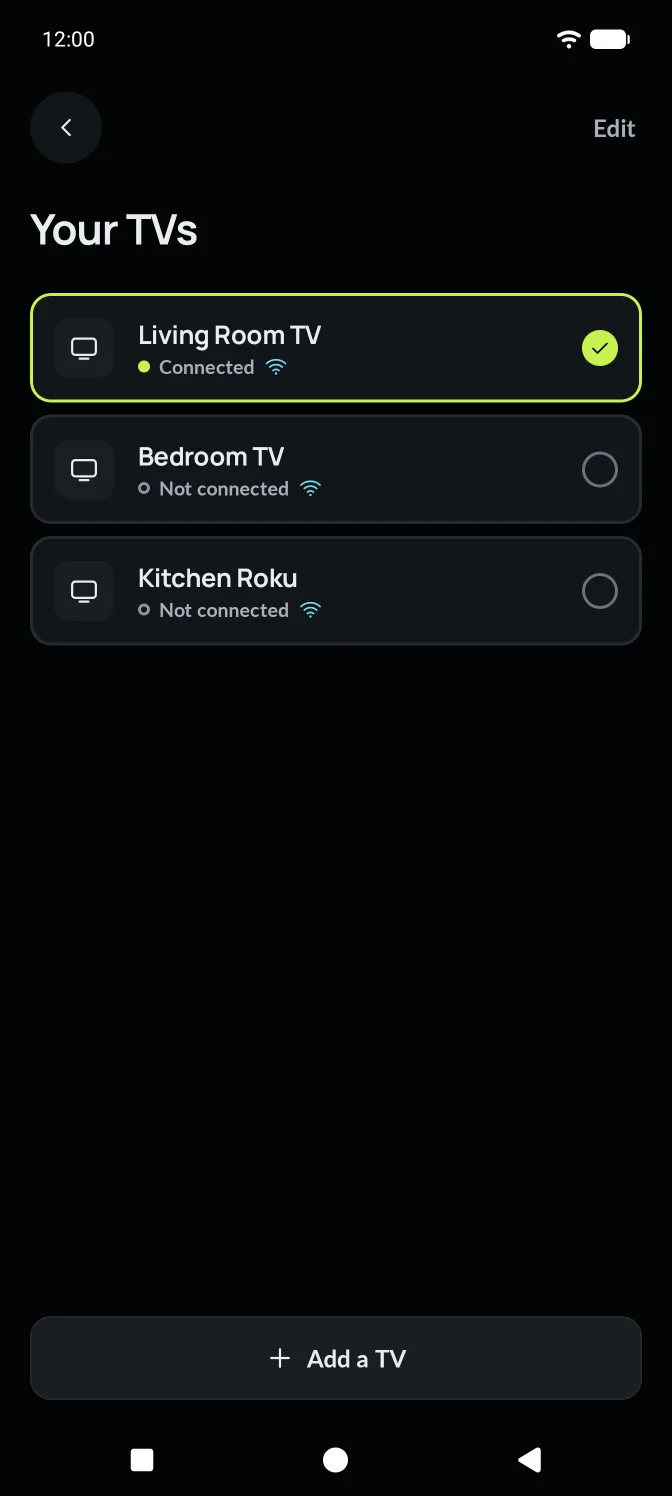
All your TVs. One remote.
Pair the living room, bedroom and kitchen TVs once, then switch in a tap. AirMouse shows which TVs are on and reachable.
- Rename a TV and see its address and what it supports
- Connect on launch: open AirMouse straight to your usual TV
- Forget a TV and its connection keys in one step
Pair once. Reconnect automatically.
AirMouse keeps the connection to your TV and repairs it when Wi-Fi blips, without hiding the remote.
Connection drops
The TV went to sleep, or the router restarted.
Controls dim
The remote stays where it is, so you don't lose your place.
Quiet reconnect
For ten seconds AirMouse tries again by itself, a little slower each time.
Then it asks
If the TV still doesn't answer, you see why and what to check.
Remote controls on your lock screen while you watch.
While a TV is connected, AirMouse puts volume down, play and pause, and volume up in your notifications. No need to unlock and find the app for a quick change.
Your phone's own volume buttons can change the TV volume too. Turn it off in Settings if you'd rather they control the phone.

AirMouse
Living Room TV · Connected
Dark or light. Your call.
Dark by default, near-black for dim rooms and OLED screens. Light when you want it, or match your phone. Light isn't an inversion: keys become white objects on a cool grey, like hardware on a desk.
- Larger keys: a bigger D-pad and fewer keys per row
- Key labels: a word under each icon key
Tune it to your hands.
Every setting in the app, in one place.
Control
Touchpad & air mouse
Appearance
More
Built to be used without looking twice.
Big targets
Nothing you can tap is smaller than 48 points. Remote keys are 56, OK is 72, with at least 12 between independent keys.
Named controls
Every key has a spoken name for TalkBack. The air mouse can be switched on and off without holding.
Not colour alone
Connection state is a dot shape, a word and the Wi-Fi or Bluetooth icon. Unsupported keys are dimmed and explain themselves.
Check that your TV works.
See what AirMouse can do on Google TV, Samsung, LG, Roku and Bluetooth.